Create a race
Tap Add a Race on Races.
The trip
Section titled “The trip”- Kind of Trip: Near Home, My Country or Abroad.
- Who Is Going: Just Me or With Family.
Together they give you a starting list of costs, such as travel, a place to stay or a visa. The list has no prices. Remove or add any cost afterwards.
The race
Section titled “The race”- Race name is needed. For some well-known races, the app fills in the place and distance when those boxes are empty. You can change them.
- People travelling and Nights away multiply the prices you give per person or per night.
- Show totals in is the currency you budget in. It is fixed once a cost has a price or you enter money saved.
The date is fixed
Section titled “The date is fixed”Before the race is made, the app shows the day and asks you to confirm it.
Change or delete a race
Section titled “Change or delete a race”Tap the pencil at the top of a race to edit its details. From the day after race day the race locks. Delete Race removes the race and its costs; a race pass used for it is not returned. Your first race, the free one, cannot be deleted. Delete All Data removes everything.
The race screen
Section titled “The race screen”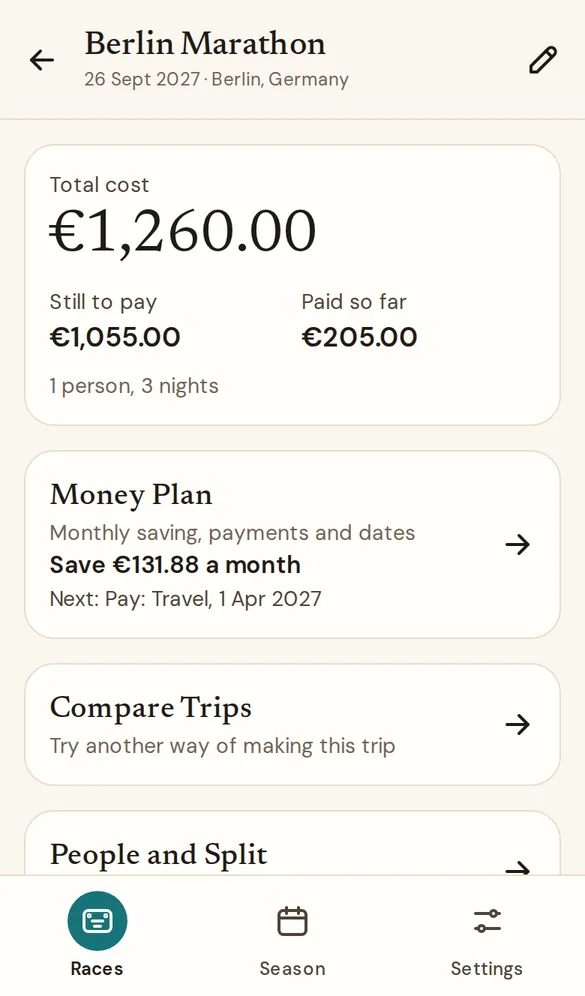
-
Everything you have priced, for the people and nights in this trip.
-
The total split into what is left and what you have already paid.
-
The monthly amount and the next date, with the full plan one tap away.
-
Try another way of making the same trip.
-
Share costs with family or crew.