The money plan
Tap Money Plan on a race.
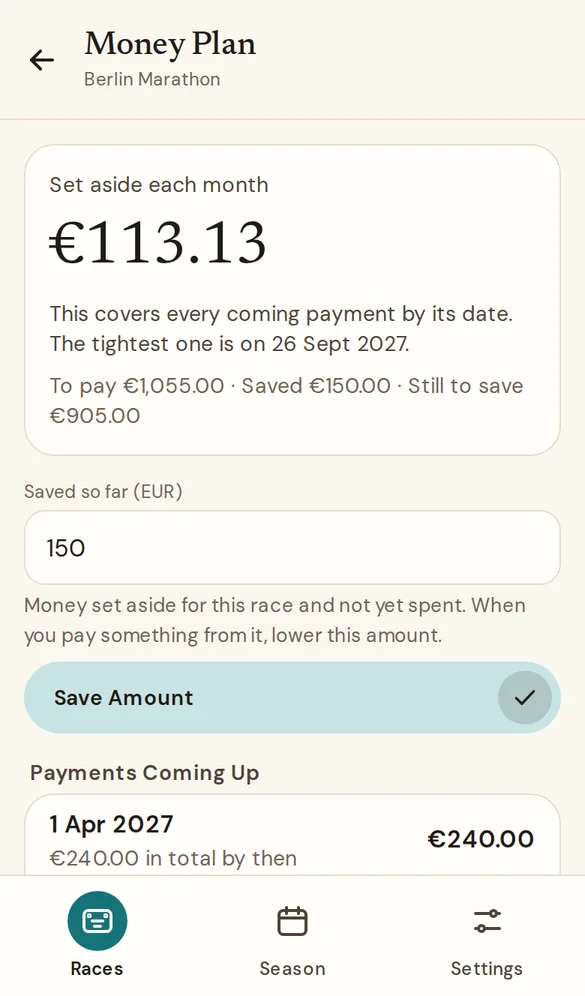
-
The amount that covers every coming payment by its date. The line under it names the tightest date.
-
What is left to pay, what you have put aside and the gap between them.
-
Money set aside for this race and not yet spent. Change it and tap Save Amount.
-
Each payment date with what is due then and the total due by then.
Set aside each month
Section titled “Set aside each month”This amount covers every coming payment by its date. The app adds up what is due by each payment date, takes away your savings, and divides by the full months left (at least one). The date that asks for the most sets the amount, and the screen names it.
Try it with an invented race. The demo follows the app’s rules, in euros only:
Try it
Leave “Pay by” empty for a payment due on race day.
Saved so far is money you set aside for this race and have not spent. When you pay something from it, lower this amount and add the payment to the cost.
The screen says so when your savings already cover what is left, when something is past its due date, or when a cost still has no price or exchange rate, which means the real amount is higher.
Payments and dates
Section titled “Payments and dates”- Payments Coming Up lists each payment date, what is due then and the total due by then.
- Dates puts your own dates and the payment dates in order.
- Before You Pay lists things worth checking for what you have not paid yet.
On the races list
Section titled “On the races list”Each race on Races shows its total, what is still to pay, the monthly amount and the next date.