Cards and downloads
Share cards
Section titled “Share cards”Cards are pictures made for posting: the finish time, the route, the cheers or the splits. Pick a template and a size to see the real card.
Try it
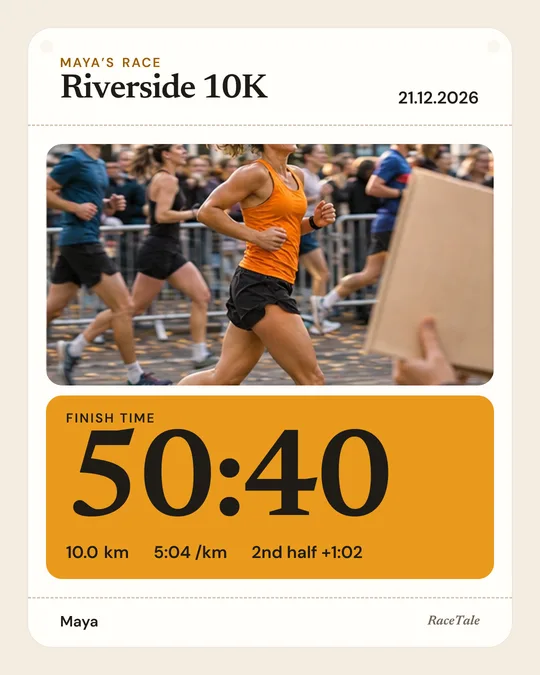
On the Share tab, tap Share Cards, choose Feed (4:5) or Story (9:16), pick a template and save the image.
Pro adds a plain card without the RaceTale mark.
Keepsakes
Section titled “Keepsakes”- Race poster (PDF): one A4 page with your finish time, route and best photo, ready to print.
- Route file (GPX): your route for your watch app or Strava. If you hid the first and last 200 m, the file hides them too.
- Race day in your calendar: a file that repeats every year on the race date.
Download everything
Section titled “Download everything”- Tap Prepare the zip. RaceTale builds it in the background.
- You get an email with the download link when it is ready. Turn that email off in Profile → Notifications if you prefer.
- The zip has every photo and clip in the original quality, plus the cheers and cards.