The story people see
Anyone with the link sees this. No account, no app. It works on a phone and on a computer.
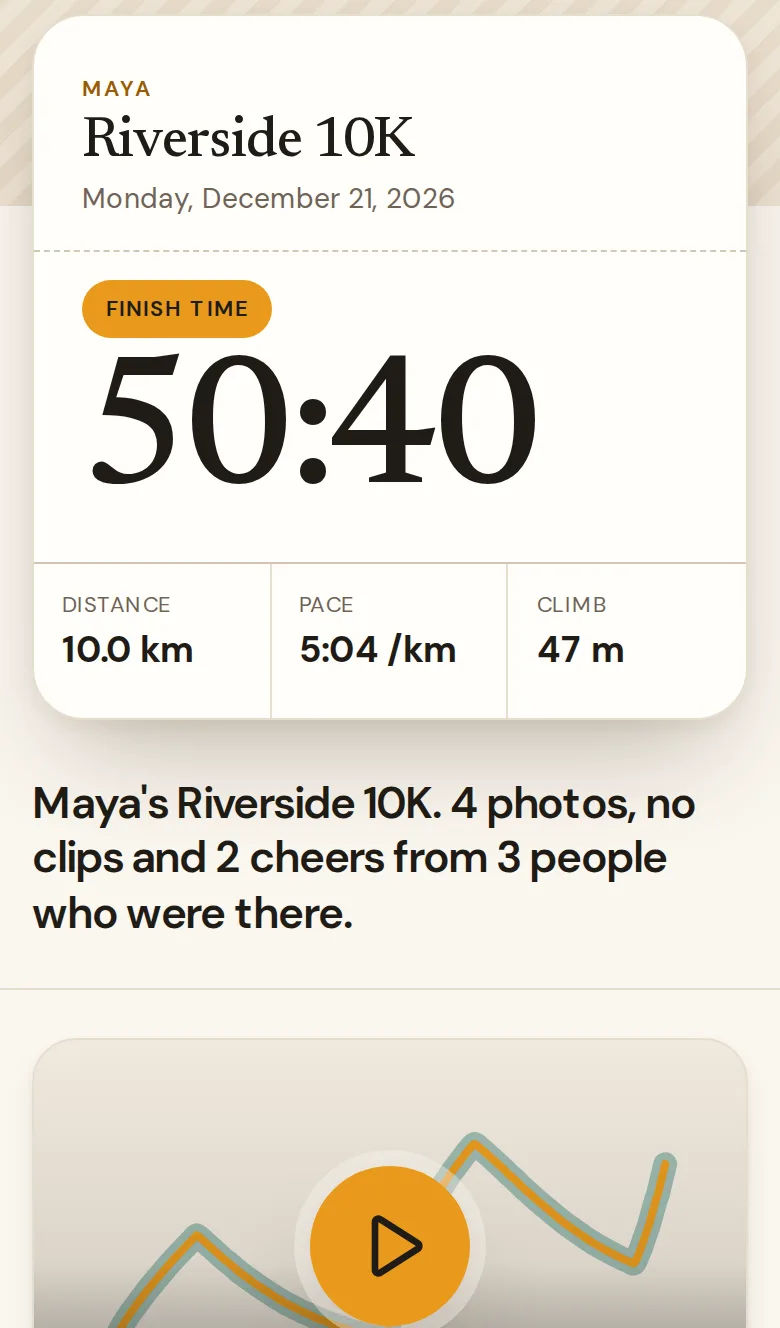
-
The race name and the date, shown in the race's own time zone.
-
The official time you saved on the Result tab.
-
Worked out from the finish time and the route file.
Top to bottom
Section titled “Top to bottom”- The route: the course on a map, with a pin where the moments happened.
- Pace and elevation: the pace of each kilometre, the fastest one and the climb.
- The day, in order: photos and clips on a timeline, with who added them and how they know the runner.
- Cheers: the written messages.
Race replay
Section titled “Race replay”Tap Watch the race replay. A dot moves along the route and photos and cheers appear as the runner passes them. Press Play, jump back or forward, or turn the music on or off.
On a computer
Section titled “On a computer”Report a photo
Section titled “Report a photo”Under every photo there is Report. Tap it, say what is wrong, and tap Send report. The owner and RaceTale can then remove it.
Sharing it on
Section titled “Sharing it on”At the bottom, WhatsApp and Copy link pass the story on to people who were there. The owner chooses whether to keep that link going.