The map and filters
The Map is where you spend most of your time. Tap a pin to open its run.
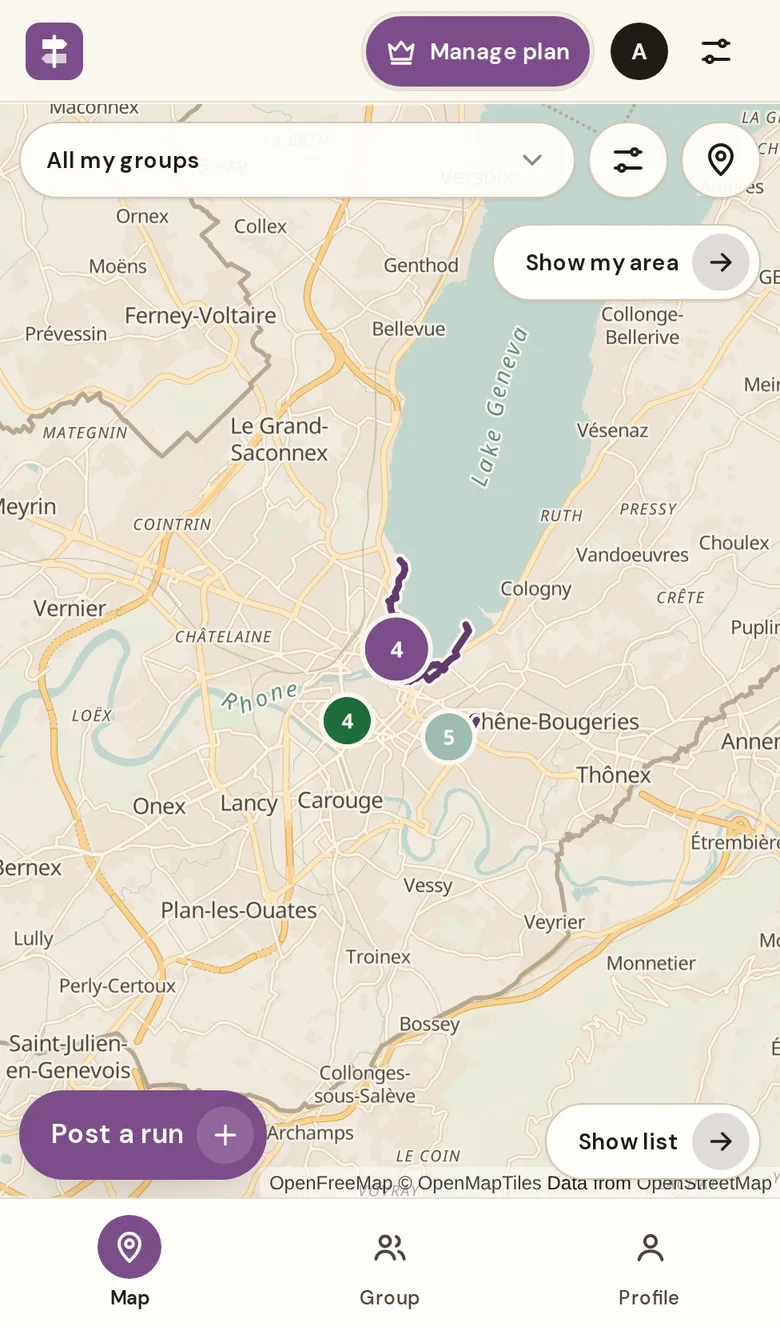
-
Upgrade, or Manage plan once your group is on Pro.
-
Tap your initial to open the Profile.
-
Narrow the pins by day, time of day and effort, or show only the runs you are coming to.
-
Fly the map to a place, or look up a first name in your groups.
-
One pin for each upcoming run. The number is how many are coming. Pins close together join into one; zoom in to split them.
-
Opens the form to add a run to your group.
Filters
Section titled “Filters”Tap Filters and choose a Day, a Time of day (morning, afternoon, evening) and an Effort. Tick Mine to see only the runs you said you are coming to. Clear filters puts everything back.
Try the filters
Day
Time of day
Effort
A made-up group. In the app the same filters narrow the pins and the list.
Find takes a place, a city or a first name. A place flies the map there. A name shows the people in your groups with that name and the runs they said they are coming to. It never shows where a person lives.
List or map
Section titled “List or map”Tap Show list for the runs in time order, with the pace and how many are coming. Show map goes back. Open a run from either.
Your area
Section titled “Your area”Show my area moves the map to where you are, if you allow it. If you say no, the app still works: move the map by hand.